

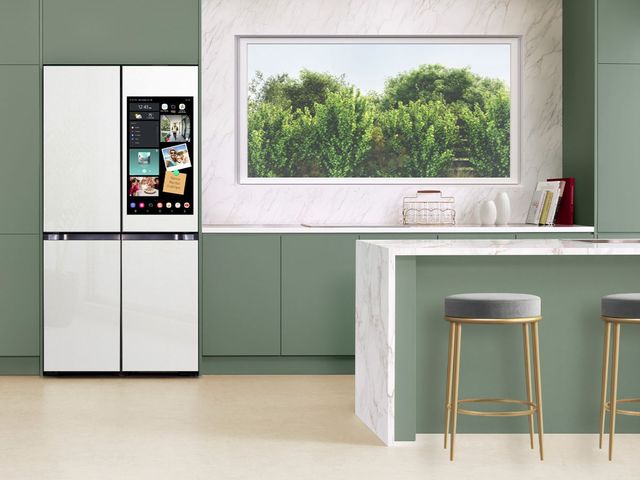
The morning rush hits all at once: a permission slip that needs signing, a grocery list scrawled on the back of an envelope, three different sports schedules pinned under magnets, and a toddler asking for milk while the coffee goes cold. The refrigerator door has become the family command center, a cluttered patchwork of sticky notes and curling paper that nobody actually reads until something gets missed. For households running in five directions at once, that chaos is a daily tax on time and patience, and a refrigerator with a screen is designed to replace the whole mess with one organized hub.
See Smart Refrigerators With Screens at East Coast Appliance
Compare Family Hub and InstaView models in person and find the smart fridge that fits your family's routine. Our team handles delivery, setup, and support.
Our appliance specialists at East Coast Appliance have helped countless local families sort through what these smart fridges actually do versus what sounds flashy on a spec sheet. This guide explains how a refrigerator with a screen works, the features that genuinely save busy families time, whether the upgrade is worth it, and how to place one so the screen gets used instead of ignored. By the end, you will know exactly what to look for and why.
Key Takeaways
- A command center in the kitchen: A refrigerator with a screen adds a built-in touchscreen that runs apps, syncs calendars, and connects to Wi-Fi to organize the whole household.
- Features that matter most: Shared calendars, grocery list syncing, interior cameras, and voice assistants deliver the real day-to-day value.
- Worth it depends on fit: Household size, tech comfort, and existing smart devices decide whether the premium pays off.
- Placement is everything: Position the screen along a main walkway so the family actually uses it instead of walking past it.
What Is a Refrigerator With a Screen and How Does It Work
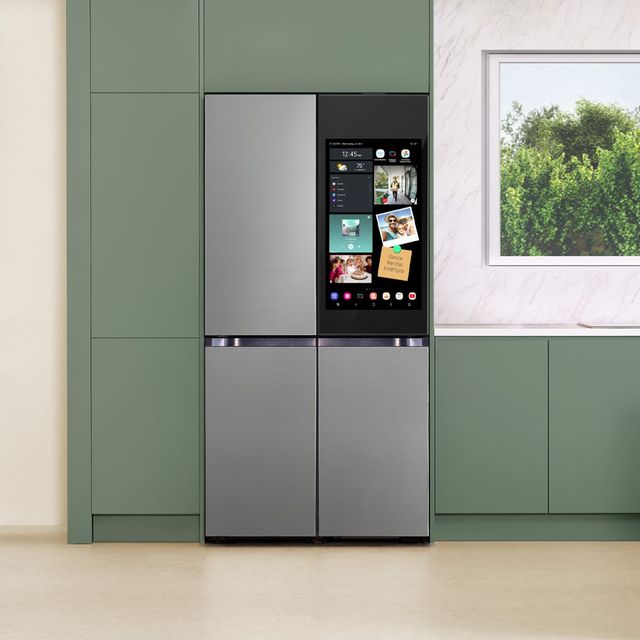
A refrigerator with a screen is a smart fridge with a built-in touchscreen display, often called a family hub or connected display, mounted right into the door. It runs apps, syncs calendars, streams media, and connects to your home Wi-Fi, turning the front of your fridge into an interactive hub the whole family shares. Think of it as a tablet that lives in the busiest room in the house.
The screen handles a surprising range of everyday tasks. Most models let you keep a shared family calendar, leave digital sticky notes, build grocery lists, stream music or shows while you cook, share photos as a rotating gallery, and even control smart home devices like a video doorbell or speaker. Instead of scattered paper and separate apps, everything lives in one place your family already gathers around.
Several major brands shape this category, each with its own approach:
- Samsung Family Hub: A large touchscreen with calendars, apps, interior cameras, and entertainment built in.
- LG InstaView with conversational AI: A knock-to-see glass panel paired with smart assistant features and app control.
- GE Profile with Kitchen Assistant: Smart connectivity plus emerging tools like grocery scanning and cooking guidance.
One distinction competitor content often blurs is worth clearing up. An external touchscreen display is what you interact with on the door, while an interior camera and inventory system lets you see inside the fridge from your phone at the store. Some refrigerators offer one, some offer both, and knowing which you actually want keeps you from paying for features you will not use. What these screens are really for, day to day, is cutting the mental load of running a household, and that practical value is exactly what we will build on next.
Top Features to Look for in a Smart Refrigerator With a Screen

Not every screen feature earns its keep, so focus your attention on the ones that solve real problems. The most buyer-relevant capabilities fall into a few clear groups. Start with the display itself: touchscreen size and resolution affect how easy it is to read a calendar across the kitchen or watch a recipe video while your hands are busy. A larger, sharper screen genuinely improves daily use.
From there, weigh the features that separate a useful smart fridge from a novelty:
- Interior camera and food tracking: Cameras let you check what is inside from your phone, so you never buy a second jar of mustard you already have.
- Voice assistant compatibility: Hands-free control through a built-in assistant lets you add to a list or set a timer with flour-covered hands.
- App ecosystem: SmartHQ, Samsung Family Hub apps, and LG ThinQ tie the fridge to your phone for lists, alerts, and remote monitoring.
- Wi-Fi connectivity: A stable home network is the backbone that makes every smart feature work reliably.
For busy households specifically, the organizational tools are where the time savings live. Shared calendars keep everyone's schedules in one visible spot, chore and reminder boards divide the household load, meal planning tools take the guesswork out of dinner, and grocery lists that sync to your phone mean you never leave the store without the one thing you came for. Barcode and grocery scanning, seen on newer GE Profile models, is an emerging differentiator that logs items as you unpack them.
Here is a quick mental checklist to match features to your home. A household with kids benefits most from shared calendars, chore boards, and voice control that even young family members can use. A smaller household or a couple may care more about interior cameras and streaming than a full family calendar. Buy for the way your household actually runs, not for the longest feature list, and the screen becomes a tool rather than a gadget.
Refrigerator With Screen vs Traditional Refrigerator: Is the Upgrade Worth It
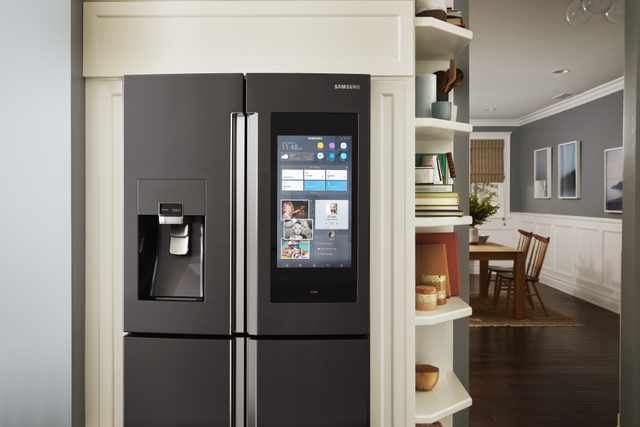
The honest question every shopper asks is whether the screen adds real value over a standard refrigerator paired with a phone and a wall calendar. It is a fair hesitation, because a screen-equipped model carries a meaningful price premium. Understanding what you get for that premium is the key to a confident decision.
The trade-offs are real and worth naming plainly. Beyond the higher upfront cost, a smart fridge relies on Wi-Fi and app stability to deliver its best features, so a shaky home network can undercut the experience. There is also a learning curve, and less tech-savvy household members may need a little time to get comfortable with the interface. None of these are dealbreakers, but they are honest considerations.
It helps to think about total cost of ownership and how the fridge fits your broader setup. If you already lean into smart home integration with connected speakers, lights, or doorbells, a refrigerator with a screen slots naturally into that ecosystem and multiplies its usefulness. If your home is entirely analog and you prefer it that way, the value proposition narrows.
A simple framework cuts through the uncertainty. Weigh three things: your household size, your comfort with technology, and the smart devices you already own. A larger, tech-comfortable family with existing smart home gear will get daily value that justifies the premium. A smaller, low-tech household might be just as happy with a great standard refrigerator and a shared phone calendar. Answer those three questions honestly and the right choice usually becomes obvious, which sets up the concrete model comparison below.
Placement and Kitchen Layout Tips for Refrigerators With Screens
Where you put a refrigerator with a screen determines whether it becomes the family hub it promises to be or an expensive display everyone walks past. Placement is the difference-maker most buyers underestimate. Start with viewing angle and traffic flow: the screen should sit where family members naturally pause, glance, and interact throughout the day.
Practical layout factors shape both fit and function. Consider these before you buy:
- Counter depth vs standard depth: A counter-depth model sits nearly flush with cabinets for a built-in look, while a standard-depth unit offers more interior space but projects further into the room.
- Configuration type: French door, four-door flex, and side-by-side layouts each present the screen differently and suit different kitchen shapes.
- Door swing and clearance: Confirm the doors open fully without hitting a wall or island, and check whether a panel-ready design fits your cabinetry plans.
Connectivity setup is the other half of a smooth start. The fridge needs reliable home Wi-Fi, so a router placed within good range of the kitchen matters more than people expect. Plan to set up app accounts for multiple family members so everyone can add to the calendar and lists from their own phone, which is what makes the shared features actually shared.
Here is the placement insight competitors skip: position the fridge so the screen lands along a main walkway, near the entryway or the busiest path through the kitchen, rather than tucked into a quiet corner. A screen you pass every time you head out the door gets used for calendars and lists. A screen hidden beside a pantry becomes a novelty within a month. Placement is what turns the technology into a genuine daily habit.
How a Refrigerator With a Screen Fits Into a Connected Kitchen
A refrigerator with a screen rarely lives in isolation, and understanding how it works alongside your other appliances helps you get more from the investment. Modern smart kitchens are built around a shared app ecosystem, where the fridge, oven, dishwasher, and even small devices talk to one another and to your phone. When these pieces connect, the screen on your fridge can become a control point for far more than groceries.
Consider how the pieces link together in a connected kitchen:
- Unified app control: Platforms like SmartHQ, ThinQ, and Samsung's app let you monitor multiple appliances from the fridge screen or your phone, so a preheat alert or a finished-cycle notification shows up in one place.
- Voice-driven routines: A voice assistant tied to the fridge can start a timer, add to a list, or trigger a smart home routine without touching a button.
- Coordinated suites: Buying appliances from the same smart tier keeps finishes and apps consistent, which simplifies both daily use and future service.
This matters for search-minded families researching smart kitchen appliances, because the value of a connected display grows as your ecosystem grows. A refrigerator with a screen that stands alone is still useful, but one that anchors a connected kitchen delivers compounding convenience. If a broader remodel or appliance upgrade is on your horizon, planning the fridge as the hub of that ecosystem is a smart way to future-proof your kitchen. Our team can walk you through which brands play best together so your appliances feel like one coordinated system rather than a collection of separate gadgets.
Comparing Top Refrigerator With Screen Models Side by Side
Once you understand the features, comparing options by category makes the choice clearer. The table below weighs the distinctions that matter across the leading smart fridge ecosystems.
| Feature Category | Budget Tier | Mid-Range Tier | Premium Tier |
|---|---|---|---|
| Screen size and resolution | Smaller basic display | Mid-size touchscreen | Large high-resolution touchscreen |
| Interior camera and food tracking | Rarely included | Sometimes included | Commonly included |
| Smart assistant and app ecosystem | Basic app connectivity | ThinQ or SmartHQ integration | Full Family Hub or advanced ThinQ |
| Configuration type | Side-by-side | French door | Four-door flex or French door |
| Standout feature | Wi-Fi and alerts | Family calendar and lists | Grocery scanning and meal suggestions |
Refrigerator With Screen Advantages and Disadvantages
Choosing a screen-equipped refrigerator over a standard model means weighing genuine convenience against added cost and complexity. Here is the balanced view to guide your decision.
Read more:
- The Must-Have Fridge: Exploring the Features That Make GE Cafe Refrigerators So Popular
- Frigidaire vs Whirlpool Refrigerators: A Budget-Smart Guide
Pros
Household organization
Shared calendars, notes, and lists replace scattered paper and keep the whole family in sync.
Everyday convenience
Voice control, interior cameras, and grocery syncing cut small daily hassles that add up.
Entertainment and connection
Streaming, photo sharing, and music make the kitchen a more enjoyable gathering space.
Smart home integration
The screen ties into connected devices, becoming a control hub for a broader smart kitchen.
Cons
Added cost
A refrigerator with a screen carries a clear price premium over a comparable standard model.
Reliance on Wi-Fi and software
Smart features depend on a stable network and app updates, and repairs can be more complex.
Read more:
- GE vs Frigidaire Refrigerators: Which Fridge is the Better Value?
- The Best Affordable Refrigerators Reviewed
Featured Refrigerators With Screens at East Coast Appliance
This is the one section where we point you to specific models. Each smart refrigerator below tackles a real busy-household pain point, from family organization to seeing inside from the store. Our showroom team can demonstrate the screens and smart features in person.
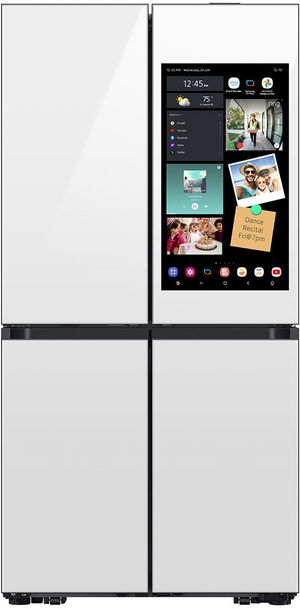
Samsung Bespoke 36" 29 Cu. Ft. White Glass French Door Refrigerator RF29DB990012
Shop French Door Refrigerators
This Bespoke French door model pairs a striking white glass design with Samsung's smart connectivity, making it a standout for a busy, style-conscious family. The roomy 29 cubic foot interior swallows a big grocery haul, while app control and smart features help you monitor and manage the fridge from your phone. The customizable Bespoke panels let it match your kitchen's look. For a household that wants generous space, modern smart tools, and a clean, upscale appearance, this Samsung refrigerator brings organization and style together beautifully.
Top Features
- Screen and connectivity: Samsung smart app control and connected features.
- Camera and tracking: Smart monitoring through the Samsung app.
- App ecosystem: Samsung SmartThings integration.
- Capacity: Spacious 29 cubic feet for large families.
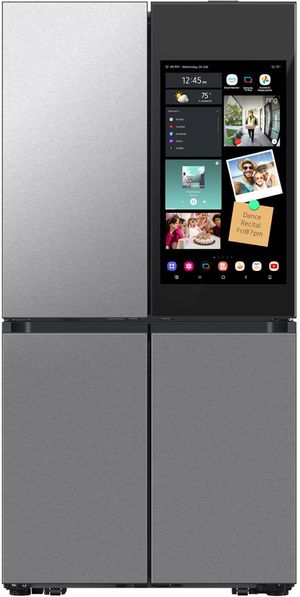
Samsung Bespoke 36" 29 Cu. Ft. Fingerprint Resistant Stainless Steel French Door Refrigerator RF29DB9900QD
Shop French Door Refrigerators
This Bespoke model delivers the same generous 29 cubic foot capacity and smart features in a fingerprint-resistant stainless finish that stays clean in a high-traffic kitchen. Samsung's connected tools let you manage settings and get alerts from your phone, a real help when the household is on the move. The French door layout keeps fresh food at eye level for quick access. For a busy family that wants smart organization, ample room, and a durable, smudge-resistant surface, this Samsung refrigerator is a practical, feature-rich choice built for daily life.
Top Features
- Screen and connectivity: Samsung smart connectivity and app alerts.
- Camera and tracking: In-app monitoring and management.
- App ecosystem: SmartThings compatibility.
- Capacity: Large 29 cubic feet with fingerprint-resistant finish.
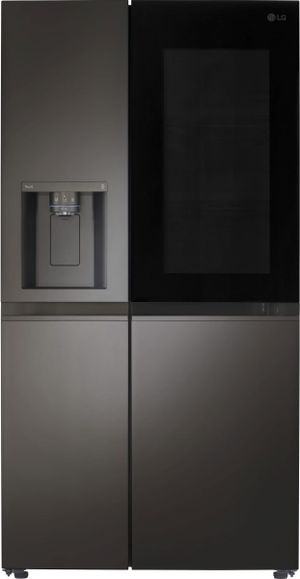
LG 36" 27 Cu. Ft. PrintProof Black Stainless Steel Side-by-Side InstaView Refrigerator with Craft Ice LRSOS2706D
Shop Side-by-Side Refrigerators
This LG side-by-side pairs InstaView convenience with Craft Ice, producing slow-melting round cubes perfect for busy households that entertain. The knock-twice glass panel lets you peek inside without opening the door, and the PrintProof black stainless finish resists smudges. Side-by-side layout gives quick access to both fresh and frozen foods. Smart ThinQ features add app control and alerts. For a family that wants premium ice, easy at-a-glance access, and a durable modern finish, this LG refrigerator is a versatile, crowd-pleasing pick that handles daily demands with style.
Top Features
- Screen and connectivity: InstaView panel with ThinQ smart control.
- Camera and tracking: Knock-to-see viewing window.
- App ecosystem: LG ThinQ integration.
- Capacity: 27 cubic feet with built-in Craft Ice.
Find Your Perfect Refrigerator With a Screen Today
A refrigerator with a screen turns your kitchen into an organized command center, delivering the most value through shared calendars, grocery syncing, and smart-home connectivity when it fits your household size and tech comfort. The right model, placed along a main walkway where the family actually uses it, replaces the sticky-note chaos with one reliable hub.
When you are ready to compare screens and features side by side, visit East Coast Appliance. As an independent local retailer, we offer hands-on showroom guidance to help you see these fridges in action, professional delivery and installation, and responsive local customer service for setup or troubleshooting, support a big-box store simply cannot match. Stop by or reach out today and upgrade to a refrigerator that works as hard as you do.
Read more:
- X Quality French Door Refrigerators Under $1500
- Best French Door Refrigerators 2024
- X Best GE French Door Refrigerators Ranked
Frequently Asked Questions about Refrigerator With Screen Options
A refrigerator with a screen is used for family organization, running apps, syncing calendars, building grocery lists, streaming media, and controlling smart home devices. It centralizes household scheduling and reminders in one shared, easy-to-see place.
Refrigerators with screens need Wi-Fi to use their smart features like apps, calendars, and remote monitoring. The refrigerator will still cool and function normally without Wi-Fi, but the connected screen features require a network.
Smart refrigerators with screens are generally reliable, though the added electronics create more potential points of repair than a standard model. Choosing a reputable brand and keeping software updated helps make sure dependable long-term performance.
A refrigerator with a screen typically carries a noticeable price premium over a comparable standard model due to its display and smart technology. The exact difference varies by brand, size, and feature set.
Multiple family members can each set up profiles and sync their own phones to a smart refrigerator's screen. This lets everyone add to shared calendars, notes, and grocery lists from their own devices.
Samsung, LG, and GE make the leading refrigerators with screens, with Samsung Family Hub, LG InstaView and ThinQ, and GE Profile smart features. The best brand depends on which app ecosystem and features fit your household.
Why Trust East Coast Appliance?
Locally owned and operated since 1988, East Coast Appliance is the largest independent appliance dealer in Virginia. We sell it ALL — from new name-brand appliances to scratch-and-dent appliances to our refurbished ones. Aside from our huge selection of every major brand and everyday low prices, what sets us apart from our competitors is that we service what we sell and that we are locally owned and operated with factory-trained associates. And if you’re local, great news: East Coast Appliance is committed to providing the absolute lowest prices on the same available brand and model —bring in the ad of the local retail competitor while the lower price is in effect, and you'll receive your price match.
Shop Refrigerators at East Coast
There is a reason we are dubbed “The Discount King”. Our friendly associates are always happy to help you find the best washer for your home, whether you call us or use our online chat feature. Better yet, stop by one of our showrooms to see why we are the best appliance store in Virginia. Visit us today!